Medical Alert Systems for Seniors: Complete Buyer's Guide 2026
Every 11 seconds, an older adult is treated in the emergency room for a fall. When living alone, getting help quickly can mean the difference between a minor incident and a life-threatening emergency. This comprehensive guide helps you choose the right medical alert system to keep your aging parents safe and independent at home.
Medical alert systems, also known as personal emergency response systems (PERS), provide 24/7 access to emergency help at the push of a button. For elderly parents living independently, these devices offer critical protection and peace of mind for both seniors and their families.
The medical alert industry has evolved dramatically beyond the classic "I've fallen and can't get up" commercials. Today's systems include sophisticated fall detection, GPS tracking for mobile seniors, smartwatch integration, medication reminders, and activity monitoring. With dozens of providers and features to consider, choosing the right system can feel overwhelming.
This guide breaks down everything you need to know about medical alert systems, from the different types available to costs, contracts, top providers, and strategies for convincing hesitant parents to use them. By the end, you'll be equipped to make an informed decision about the best protection for your loved ones.
Why Medical Alert Systems Matter for Aging Parents

The statistics surrounding senior falls and medical emergencies underscore the critical importance of rapid response systems. Understanding these risks helps prioritize safety investments.
Critical Emergency Response Statistics
- • One in four adults 65 and older falls each year, with half of those experiencing multiple falls
- • Seniors who lie on the floor for more than one hour after a fall have a 50% chance of dying within six months
- • 80% of seniors who fall alone cannot get up without assistance
- • Falls are the leading cause of fatal and non-fatal injuries in adults over 65
- • Quick response to falls significantly improves recovery outcomes and reduces hospitalization time
Beyond Falls: Other Emergency Scenarios
While falls represent the most common use case, medical alert systems protect against numerous emergency situations including heart attacks, strokes, difficulty breathing, diabetic emergencies, severe injuries from accidents, home intrusions, and fires. For seniors living alone, immediate access to help during any medical crisis can be lifesaving.
Medical alert systems also provide psychological benefits. Seniors report feeling more confident and less anxious about living independently when they know help is available instantly. This confidence often leads to maintained activity levels and social engagement rather than the withdrawal that fear of falling can cause.
For adult children caring for aging parents from a distance, medical alert systems provide invaluable peace of mind. Rather than constant worry about what might happen when you're not there, you know your parent has immediate access to professional emergency response 24 hours a day.
As an Amazon Associate, we earn from qualifying purchases.
Recommended Medical Alert Products
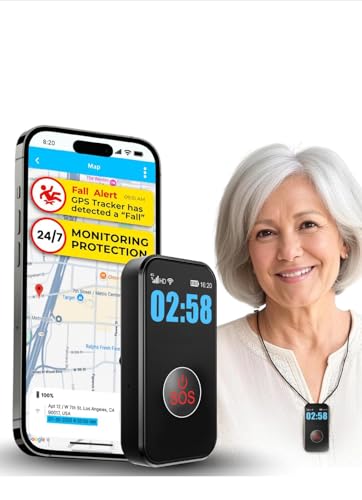 Medical Alert System with Fall Detection Automatic emergency response when falls are detected
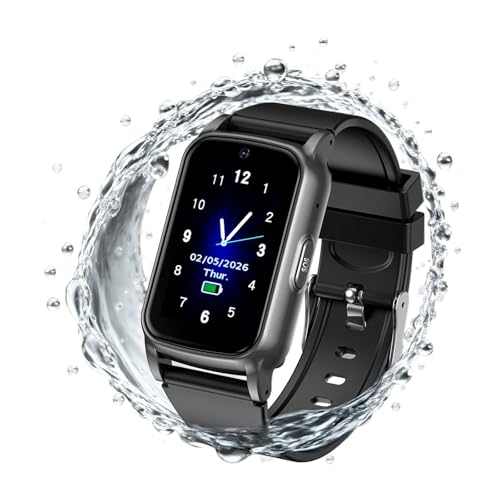 GPS Smartwatch for Seniors Location tracking and SOS button in a comfortable watch design
 Medical ID Bracelet Displays critical health information for first responders
 Bed Exit Alarm Alerts when your parent gets up - prevents nighttime falls
Types of Medical Alert Systems
Understanding the three main categories of medical alert systems helps narrow your options based on your parent's lifestyle and needs.
In-Home Medical Alert Systems
Traditional in-home systems consist of a base unit that connects to phone service (landline or cellular) and a wearable help button (pendant or wristband) that communicates with the base unit via radio frequency. When the button is pressed, the base unit calls the monitoring center for two-way voice communication.
Best For:
- • Seniors who rarely leave home
- • Limited mobility requiring mostly indoor protection
- • Budget-conscious families seeking basic coverage
- • Those with reliable cellular or WiFi at home
Advantages:
- • Lower monthly cost ($20-35)
- • Long battery life on wearable device
- • Works up to 600-1400 feet from base
- • Covers entire home and yard
- • Simple setup and operation
Limitations:
- • No protection outside range of base unit
- • Requires cellular or landline service
- • Base unit needs power source
- • Cannot track location
- • Won't work when traveling or shopping
Typical Cost: $25-35/month | Equipment: $0-50 | Range: 600-1400 feet
Mobile GPS Medical Alert Systems
Mobile systems are self-contained devices with built-in cellular connectivity and GPS tracking, functioning anywhere with cell coverage. They don't require a base unit, making them ideal for active seniors who drive, shop, walk, travel, or spend time away from home.
Best For:
- • Active seniors who regularly leave home
- • Those who drive, shop, or attend activities
- • Seniors who travel or visit family
- • Anyone at risk of wandering or getting lost
Advantages:
- • Works anywhere with cellular coverage
- • GPS location tracking
- • No base unit needed
- • Protection at home and away
- • Geofencing and location sharing available
Limitations:
- • Higher monthly cost ($35-60)
- • Requires daily or frequent charging
- • Dependent on cellular coverage
- • Larger devices can be less comfortable
- • Must remember to carry/wear it
Typical Cost: $35-60/month | Equipment: $50-150 | Coverage: Nationwide cellular
Smartwatch Medical Alert Systems
The newest category combines medical alert functionality with smartwatch features like fitness tracking, heart rate monitoring, and mobile connectivity. These devices look like regular smartwatches rather than obvious medical devices, making them more appealing to image-conscious seniors.
Best For:
- • Seniors resistant to traditional medical alert devices
- • Active individuals who want health tracking features
- • Those concerned about stigma of medical devices
- • Tech-comfortable seniors who value additional features
Advantages:
- • Discreet, looks like regular watch
- • Additional health monitoring features
- • GPS and mobile connectivity
- • Higher compliance due to appearance
- • Activity tracking and notifications
Limitations:
- • Highest cost ($40-70/month)
- • Daily charging required
- • More complex interface
- • Smaller buttons harder for arthritis
- • Learning curve for features
Typical Cost: $40-70/month | Equipment: $100-200 | Coverage: Nationwide cellular + WiFi
Choosing Between Types:
Many families opt for mobile or smartwatch systems even for homebound parents because the small price difference provides significantly more flexibility and protection. If your parent occasionally leaves home for doctor appointments, shopping, or visiting family, mobile systems offer better value and comprehensive coverage.
Key Features to Look For

Beyond the basic emergency button, modern medical alert systems offer numerous features that enhance safety and usability. Understanding which features matter most for your parent's situation helps prioritize options.
Two-Way Voice Communication
Essential feature allowing conversation between the senior and monitoring center through the device itself or base unit. Operators can assess the situation, provide reassurance, and determine appropriate response. Look for systems with clear speakers and sensitive microphones that work from across the room.
Priority: Essential - Every system should have this
Waterproof Design
Critical since most falls occur in bathrooms during bathing or showering. Devices should be rated IPX7 or higher, allowing full submersion. Seniors should wear the device 24/7, including in the shower, making waterproofing non-negotiable for comprehensive protection.
Priority: Essential - Where falls most commonly occur
Battery Backup
For in-home systems, battery backup ensures continued operation during power outages, which often accompany severe weather when emergencies are most likely. Look for minimum 24-32 hours of backup power. Mobile systems should offer at least 2-3 days of battery life per charge.
Priority: Essential - Protection during outages
Multiple Caregiver Alerts
Ability to notify multiple family members simultaneously via text, email, or app notifications when the emergency button is pressed or fall is detected. Keeps entire care team informed and allows coordination of response. Especially valuable when primary caregiver is unavailable.
Priority: Highly Recommended - Family coordination
Medication Reminders
Programmable alerts remind seniors to take medications at scheduled times. Some systems connect to smart pill dispensers that lock until the correct time. Particularly valuable for complex medication regimens or memory concerns. Can reduce medication errors and improve health outcomes.
Priority: Optional - Valuable for complex medication needs
Activity Monitoring
Passive sensors track daily activity patterns and alert caregivers to unusual inactivity that might indicate a problem. Non-intrusive monitoring provides peace of mind without feeling like surveillance. Can detect gradual decline in activity levels suggesting health changes.
Priority: Optional - Good for distance caregiving
Wall Buttons
Additional emergency buttons mounted in high-risk areas like bathrooms, bedrooms, or near stairs. Provides backup if wearable device is removed or out of reach. Particularly useful for seniors who resist wearing devices 24/7 or for guests and spouses.
Priority: Recommended for high-risk locations
Lock Box/Key Safe
Secure box mounted outside home containing house key, allowing emergency responders to enter without forcing doors. Monitoring centers provide the code to emergency services when needed. Essential for unconscious falls or when senior cannot reach the door. One-time cost of $30-50.
Priority: Highly Recommended - Emergency access
Understanding Fall Detection Technology
Automatic fall detection represents one of the most important advances in medical alert technology. Since many fall victims are unconscious, disoriented, or physically unable to press an emergency button, automatic detection can be lifesaving.
How Fall Detection Works
Modern fall detection uses sophisticated algorithms analyzing data from multiple sensors including accelerometers (measuring speed and direction of movement), gyroscopes (tracking orientation and rotation), and barometric pressure sensors (detecting rapid altitude changes). When these sensors detect a fall pattern - rapid downward movement, sudden impact, and horizontal position - the system triggers an alert.
After detecting a potential fall, most systems provide 30-60 seconds for the wearer to cancel the alert if it was a false alarm. If not cancelled, the system automatically contacts the monitoring center and alerts caregivers, even if the senior is unconscious and unable to press the button.
Fall Detection Accuracy Factors
Sensor Quality and Algorithms
Advanced six-axis sensors with machine learning algorithms achieve 85-95% detection accuracy. Budget systems with basic sensors may miss 30-40% of falls.
Device Positioning
Pendant worn around neck performs better than wrist-worn devices for fall detection. Device must be positioned correctly and worn snugly against body.
Type of Fall
Hard, fast falls are detected more reliably than slow slides to the floor. Falls onto soft surfaces like beds may not trigger detection.
User-Specific Calibration
Some advanced systems learn individual movement patterns to distinguish falls from normal activities like sitting down quickly or bending over.
False Alarms and Missed Falls
No fall detection system is perfect. False positives occur when vigorous activities like dropping objects, flopping onto bed, or quick sitting triggers detection. While inconvenient, false alarms are preferable to missed falls. Most users report 1-3 false alarms during the first month as they learn what activities trigger detection, then very few after adjusting behavior.
False negatives - actual falls that don't trigger detection - pose greater concern. Slow falls, falls onto soft surfaces, or falls while the device is improperly positioned may not register. This is why the manual button remains critically important. Fall detection should be viewed as a backup to manual activation, not a replacement.
Cost Consideration:
Fall detection typically adds $10-15 to monthly fees. Given that up to 50% of fall victims cannot call for help, this feature is highly recommended despite the additional cost. For seniors with high fall risk, history of falls, balance issues, or those living alone, fall detection is worth prioritizing in the budget.
Who Needs Fall Detection Most
Prioritize fall detection for seniors who:
- • Have fallen in the past year
- • Have balance or gait problems
- • Live alone with no daily check-ins
- • Take medications causing dizziness or sedation
- • Have conditions like Parkinson's, stroke history, or arthritis
- • Have cognitive impairment that might prevent calling for help
- • Are over 75 years old (fall risk increases significantly)
GPS Tracking Benefits for Active Seniors
GPS tracking transforms medical alert systems from home-only protection to comprehensive safety coverage anywhere your parent goes. This technology has become increasingly important as families recognize that seniors need protection during daily activities outside the home.
What GPS Tracking Provides
Location Identification in Emergencies
When emergency button is pressed away from home, GPS instantly provides monitoring center with exact location coordinates. Emergency services receive precise directions even if the senior is disoriented, unconscious, or in an unfamiliar area. Critical for rapid response when every minute matters.
Real-Time Location Tracking
Family caregivers can check parent's current location through smartphone app or web portal. Useful for confirming safe arrival at destinations, locating a senior who is lost or confused, or general peace of mind about whereabouts. Most systems update location every 30-60 seconds.
Location History
Review where your parent has been over days or weeks. Helps identify concerning patterns like getting lost, visiting unusual locations, or changes in routine that might indicate cognitive decline. Can confirm medication pick-up, appointment attendance, or social activity engagement.
Geofencing Alerts
Set up virtual boundaries and receive automatic notifications when your parent enters or leaves designated areas. Alert if they leave home at unusual hours, wander beyond safe radius, or arrive at important locations like doctor's office. Valuable for early-stage dementia or wandering risk.
Speed Alerts
Some systems can alert if movement speed suggests driving. Useful for monitoring seniors who should no longer drive or for confirming they're being cautious on the road. Can provide objective data for difficult conversations about driving safety.
When GPS Tracking Is Most Valuable
While GPS adds cost, it provides critical protection for several senior populations. Active seniors who drive, shop, attend activities, or visit friends need protection beyond the home. Those with early cognitive impairment or memory issues benefit from location tracking that helps caregivers find them if they become confused or lost.
Seniors who travel to visit family or take trips need continuous protection that traditional home systems cannot provide. Even homebound seniors occasionally leave for medical appointments, and emergencies during these outings require rapid location identification.
Privacy Considerations:
Discuss GPS tracking openly with your parent before activation. Some seniors appreciate the safety aspect while others feel monitored or mistrusted. Emphasize that tracking is for emergency response and optional check-ins, not constant surveillance. Most systems allow seniors to see their own location data, providing transparency and control.
Top Medical Alert System Providers Comparison
Dozens of companies offer medical alert systems with varying features, pricing, and customer service quality. This comparison highlights top-rated providers based on reliability, features, value, and customer satisfaction.
Medical Guardian
Best Overall Value
Expert Rating
Industry leader offering comprehensive options from basic in-home to advanced mobile systems with fall detection and GPS. Known for reliable equipment, responsive monitoring, and excellent customer service. No long-term contracts required.
Key Features:
- • Advanced fall detection with high accuracy
- • GPS mobile systems with nationwide coverage
- • Two-way voice communication
- • Waterproof devices
- • Activity tracking and wellness features
- • Mobile app for caregivers
Pricing:
- • Home: $29.95/month
- • Home with fall detection: $39.95/month
- • Mobile: $44.95/month
- • Mobile with fall detection: $54.95/month
- • Equipment: $0-100 depending on system
- • No long-term contracts
Best For: Families wanting flexibility, reliable fall detection, and no contract commitment. Strong choice for both homebound and active seniors.
Bay Alarm Medical
Best for Budget-Conscious Families
Expert Rating
Family-owned company providing affordable, reliable medical alert systems with excellent customer service. Lower prices without sacrificing quality. Offers both rental and purchase options. Monitoring centers located in U.S.
Key Features:
- • Fall detection available
- • GPS mobile options
- • Medication reminders
- • Waterproof pendants
- • Long battery life
- • Free lockbox included
Pricing:
- • Home: $24.95/month
- • Home with fall detection: $34.95/month
- • Mobile GPS: $37.95/month
- • Equipment: Free with annual plan
- • Month-to-month available
- • 30-day money-back guarantee
Best For: Budget-conscious families seeking low monthly costs without long contracts. Excellent value for basic protection and solid customer service.
GetSafe
Best Mobile/Smartwatch Systems
Expert Rating
Specializes in modern mobile and smartwatch medical alert systems with sleek designs that appeal to active, tech-comfortable seniors. Advanced features include health monitoring, activity tracking, and comprehensive mobile app for caregivers.
Key Features:
- • Smartwatch design
- • Advanced fall detection
- • GPS with geofencing
- • Heart rate monitoring
- • Step tracking and activity goals
- • Voice-activated emergency calls
Pricing:
- • Mobile GPS: $39.95/month
- • Smartwatch: $49.95/month
- • Premium with health tracking: $59.95/month
- • Equipment: $50-150
- • Month-to-month or annual plans
- • Family app included
Best For: Active seniors who want discreet devices with modern features. Ideal for those resistant to traditional medical alert appearance or who value health tracking.
LifeFone
Best for Fall Detection Accuracy
Expert Rating
Established provider known for highly accurate fall detection technology and landline/cellular flexibility. Offers extensive range of systems from basic to advanced. Strong reputation for reliability and customer satisfaction.
Key Features:
- • Industry-leading fall detection
- • Works with landline or cellular
- • GPS mobile options
- • Wall-mounted buttons available
- • Medication dispensers
- • Long equipment range (1400 feet)
Pricing:
- • Home (landline): $24.95/month
- • Home (cellular): $29.95/month
- • Fall detection: Add $10/month
- • Mobile GPS: $39.95/month
- • Equipment: $0-75
- • Flexible contract options
Best For: Seniors with high fall risk needing most accurate detection. Good choice for homes with existing landlines or those wanting equipment flexibility.
Lively
Best for Technology Integration
Expert Rating
Technology-forward provider offering integrated ecosystem of health and safety devices. Combines medical alert with health monitoring, medication management, and urgent care access. Best for comprehensive health and safety management.
Key Features:
- • Smartwatch and mobile options
- • 24/7 nurse access included
- • Medication manager with reminders
- • Health tracking and monitoring
- • Urgent care video visits available
- • Comprehensive caregiver app
Pricing:
- • Mobile: $24.99/month
- • Smartwatch: $34.99/month
- • Premium health services: $39.99/month
- • Equipment: $50-149
- • No long-term contracts
- • Add-on services available
Best For: Families wanting integrated health management beyond basic emergency response. Excellent for coordinating multiple aspects of senior care through one platform.
Comparison Shopping Tips:
When evaluating providers, ask specific questions about monitoring center locations, average response time, whether monitoring is in-house or outsourced, equipment warranty terms, what happens if device malfunctions, cancellation policies, and whether family members receive alerts. Request trial periods to test functionality before committing to annual contracts.
Understanding Costs, Contracts, and Payment Options

Medical alert system costs involve multiple components, and understanding the full pricing structure helps avoid surprises and choose the best value for your budget.
Cost Components Breakdown
Monthly Monitoring Fees
Core cost covering 24/7 monitoring center access, emergency response coordination, and basic system functionality. Prices vary based on system type and features.
- Basic In-Home: $20-35/month
- In-Home with Fall Detection: $30-45/month
- Mobile GPS: $35-50/month
- Mobile GPS with Fall Detection: $45-60/month
- Smartwatch Systems: $40-70/month
Equipment Costs
One-time or rental fees for devices including base units, wearable help buttons, and accessories. Equipment policies vary significantly between providers.
- Rental Equipment: Often $0-50 upfront, returned when service ends
- Purchase Equipment: $100-300, you own device, may have trade-in value
- Free Equipment: Some providers waive fees with annual contracts
- Additional Devices: Extra pendants, wall buttons $30-75 each
Activation and Setup Fees
Some providers charge one-time activation fees for account setup and equipment programming. These vary from $0 to $100 depending on provider and promotion.
Tip: Many providers waive activation fees during promotional periods or for annual commitments.
Optional Add-On Services
Additional features and services that enhance functionality but increase monthly costs:
- Fall Detection: +$10-15/month (highly recommended)
- Medication Reminders: +$5-15/month
- Activity Monitoring: +$10-20/month
- Caregiver App Access: Usually included, some charge $5/month
- Additional User Profiles: $5-10/month per additional person
- Lockbox/Key Safe: $30-50 one-time
Contract Terms and Cancellation
Month-to-Month Plans
No long-term commitment, cancel anytime with 30-day notice. Typically cost $3-10 more per month than contract plans but offer maximum flexibility. Best if uncertain about parent's needs or system compatibility.
Pros: Flexibility, no cancellation penalty, easy to switch providers
Cons: Higher monthly cost, may require equipment purchase
Annual Contracts
One-year commitment with lower monthly rates and often free equipment. Early cancellation typically requires paying remaining months or penalty fee ($75-200). Best for stable situations where needs are unlikely to change.
Pros: Lower monthly cost, often includes free equipment and waived activation
Cons: Cancellation penalties, locked into one provider for year
Multi-Year Contracts
Two to three year commitments with deepest discounts but least flexibility. Rarely recommended due to changing senior needs. Early cancellation penalties can be substantial.
Pros: Lowest per-month pricing, price lock guarantee
Cons: Significant penalties for early exit, needs may change dramatically
Insurance and Financial Assistance
Medicare
Traditional Medicare does not cover medical alert systems. Some Medicare Advantage plans offer coverage or discounts as supplemental benefits. Check with your specific plan.
Medicaid
Coverage varies by state. Some states cover medical alert systems for high-risk individuals through waiver programs. Contact your state Medicaid office to verify eligibility and covered systems.
Veterans Benefits
VA Aid and Attendance benefits may cover medical alert systems for eligible veterans. Systems must be deemed medically necessary. Contact VA benefits coordinator for details.
Long-Term Care Insurance
Some policies cover medical alert systems as preventive care or equipment benefit. Review policy terms and submit documentation for potential reimbursement.
Area Agency on Aging
Local agencies may offer subsidized systems for low-income seniors or grants to assist with costs. Programs vary by location. Call your local AAA to inquire about available assistance.
Tax Deductions
Medical alert systems may qualify as deductible medical expenses if doctor-prescribed as medically necessary. Consult tax professional about eligibility and documentation requirements.
Money-Saving Strategies:
Look for promotional discounts (common for new customers), ask about senior or veteran discounts (10-20% off), pay annually in advance for reduced rates (often save 2 months), skip unnecessary features initially and add later if needed, and compare total first-year costs including all fees rather than just monthly rates.
How to Choose the Right System for Your Parent
With numerous options available, selecting the right medical alert system requires evaluating your parent's specific needs, lifestyle, and risks. This decision framework helps identify the best fit.
Key Questions to Consider
1. How active is your parent?
Activity level determines whether in-home or mobile systems provide better protection.
- Rarely leaves home: In-home system may be sufficient and saves money
- Occasional outings: Mobile system provides protection during appointments and shopping
- Highly active: Mobile or smartwatch system essential for comprehensive coverage
- Drives regularly: GPS tracking valuable for emergencies while driving or in unfamiliar areas
2. What is the fall risk level?
Fall history and risk factors determine whether automatic fall detection is worth the additional cost.
- No fall history, stable gait: Manual button may be adequate
- Previous falls or balance issues: Fall detection highly recommended
- High risk (Parkinson's, stroke, multiple falls): Fall detection essential
- Cognitive impairment: Automatic detection critical as they may not remember to press button
3. Does your parent live alone?
Living situation affects system priority and recommended features.
- Lives alone: Medical alert system is critical priority with fall detection recommended
- Lives with spouse (also elderly): System still important as spouse may be unable to help
- Lives with family: System provides peace of mind when family members are away
- Alone for extended periods: Consider activity monitoring features to detect unusual inactivity
4. What is your parent's attitude toward devices?
Willingness to wear device affects compliance and choice between device styles.
- Resistant to medical devices: Smartwatch style may improve acceptance
- Concerned about appearance: Discreet pendants or wristbands, avoid large obvious devices
- Forgets to wear devices: Comfortable 24/7 wearable crucial, waterproof for shower use
- Tech-comfortable: Can handle more features like apps and activity tracking
5. What is your budget?
Budget constraints require prioritizing most important features.
- Tight budget ($25-30/month): Basic in-home system without fall detection
- Moderate budget ($35-45/month): In-home with fall detection or mobile without fall detection
- Flexible budget ($50+/month): Mobile with fall detection or smartwatch systems
- Remember: Basic protection better than no protection - start simple and upgrade later if budget allows
Decision Matrix: Finding Your Best Match
| Parent Profile | Recommended System | Key Features | Est. Cost |
|---|---|---|---|
| Homebound, low fall risk, tight budget | Basic In-Home | Emergency button, waterproof, two-way voice | $25-30/month |
| Mostly home, previous falls, lives alone | In-Home with Fall Detection | Automatic fall detection, emergency button, caregiver alerts | $35-45/month |
| Active, drives, shops regularly | Mobile GPS | GPS tracking, nationwide coverage, location sharing | $40-50/month |
| Active, high fall risk, travels | Mobile GPS with Fall Detection | GPS, fall detection, mobile protection, geofencing | $50-60/month |
| Resistant to medical devices, active | Smartwatch System | Discreet design, health tracking, GPS, fall detection | $50-70/month |
| Early dementia, wandering risk | Mobile GPS with Geofencing | Location tracking, geofence alerts, fall detection, 24/7 monitoring | $50-65/month |
Trial Periods Are Your Friend:
Many providers offer 30-day money-back guarantees or trial periods. Use this time to test whether your parent actually wears the device, whether it's comfortable, if buttons are easy to press, and if range covers their home. It's better to discover incompatibility during a trial than after committing to a year contract.
Installation and Setup Tips
Most medical alert systems are designed for simple self-installation, but proper setup ensures optimal performance when emergencies occur. Follow these steps for successful installation.
In-Home System Setup
1. Choose Optimal Base Unit Location
Place base unit in central location where your parent spends most time, typically main living area. Ensure it's near power outlet and has clear path for cellular signal. Avoid placing in closets, behind furniture, or in basements where signal may be weak. Base should be accessible but not in high-traffic area where it might be bumped.
2. Test Range Throughout Home
After setup, test emergency button from every room including bathrooms, bedrooms, basement, and yard. Press button in each location and verify two-way voice communication works clearly. Identify any dead zones where signal doesn't reach and adjust base location if needed. Most systems have 600-1400 foot range, but walls and interference can reduce this.
3. Program Emergency Contacts
Provide monitoring center with complete list of emergency contacts including primary caregivers, neighbors with keys, medical providers, and preferred hospitals. Include specific instructions about when to call family versus dispatching 911. Update this information whenever contacts change.
4. Install Additional Wall Buttons
Mount extra emergency buttons in high-risk locations like next to toilet, inside shower, and near bed. Wall buttons provide backup if wearable device is out of reach. Install at accessible height (36-48 inches) and ensure they're clearly labeled. Test each wall button after installation.
5. Set Up Lockbox
Mount secure lockbox outside home containing house key. Place in discreet but accessible location near main entry. Provide code only to monitoring center for emergency responder access. This eliminates need to force doors during emergencies when senior cannot reach door.
Mobile System Setup
1. Charge Device Fully
Before first use, charge mobile device for full recommended time (usually 2-4 hours). Establish consistent charging routine - most users charge nightly like a phone. Consider purchasing second charger for backup or different locations.
2. Test GPS Accuracy
Take device outside and trigger emergency call to verify GPS coordinates are accurate. Test from multiple locations including home, frequented stores, and common destinations. Ensure location displays correctly in caregiver app. GPS works best outdoors and may be less accurate inside buildings.
3. Configure Geofencing
If system includes geofencing, set up safety zones around home and other regular locations. Configure alerts for leaving home at unusual hours or traveling beyond safe radius. Adjust sensitivity to balance useful alerts versus alert fatigue from too many notifications.
4. Download Caregiver App
Install monitoring app on your smartphone and other family caregivers' phones. Configure notification preferences for emergency alerts, low battery warnings, and activity updates. Test that all caregivers receive alerts properly before relying on system.
Training Your Parent
Essential Training Points:
- When to use it: Any emergency, fall, chest pain, difficulty breathing, severe injury, or feeling unsafe
- How to activate: Press and hold button for 2-3 seconds until it beeps or vibrates
- What happens next: Monitoring center calls, operator will talk through speaker, operator assesses and dispatches help
- Practice calls: Conduct test calls monthly so they're comfortable with process and voice communication
- Wear it always: Emphasize importance of wearing 24/7 including shower, sleep, and yard work
- Charging routine: For mobile systems, establish same-time daily charging ritual
- Don't hesitate: Better to trigger false alarm than delay help during real emergency
Convincing Reluctant Parents to Use Medical Alert Systems

One of the biggest challenges families face isn't choosing a system, but convincing a resistant parent to accept and actually wear the device. Understanding common objections and effective persuasion strategies can make this conversation more successful.
Common Objections and How to Address Them
Objection: "I don't need it, I'm fine"
Effective Response: Frame the device as enabling independence, not highlighting decline. Say "This allows you to stay in your home safely and gives me peace of mind when I can't be here. It's a safety tool like smoke alarms or seatbelts - everyone should have one, not just people who are sick."
Emphasize prevention and independence rather than decline or dependence.
Objection: "It looks like a medical device"
Effective Response: Choose discreet smartwatch-style devices or sleek pendants that look like regular jewelry. Say "Modern systems look nothing like the old Life Alert commercials. Let's find one you'd actually want to wear." Show them attractive options online together.
Involve them in choosing a device they find acceptable aesthetically.
Objection: "I can just use my phone"
Effective Response: "What if you fall in the bathroom and your phone is in the kitchen? Or you're unconscious and can't dial? Medical alert works even when you can't reach a phone or can't speak. It's specifically designed for emergencies when your phone isn't accessible."
Explain limitations of relying solely on phones during actual emergencies.
Objection: "It's too expensive"
Effective Response: "It costs about $1 per day - less than a cup of coffee. One emergency room visit costs thousands of dollars. If this system prevents even one serious injury, it pays for itself many times over. Plus I'll help with the cost because your safety is worth it to me."
Put cost in perspective and offer financial assistance if needed.
Objection: "I'll remember to press it if I need it"
Effective Response: "Many fall victims are disoriented or unconscious and can't press anything. That's why fall detection is so important - it calls for help even when you can't. Statistics show that people who lie on the floor for over an hour have much worse outcomes. Automatic detection could save your life."
Share statistics about unconscious falls and importance of automatic detection.
Objection: "I don't want to bother anyone"
Effective Response: "We worry far more when we can't reach you or don't know if you're okay. Pressing that button isn't bothering us - it's giving us vital information we need. I'd rather get ten false alarms than have you lying hurt and unable to call for help. Your safety is never a botheration."
Reassure that their safety is the priority, not convenience.
Effective Persuasion Strategies
Start with a Trial
Suggest trying a system for 30 days with no long-term commitment. This reduces pressure and allows them to experience security benefits firsthand. Many resistant parents become advocates after experiencing the peace of mind.
Share Personal Stories
Tell stories of people saved by medical alert systems - neighbor who fell in basement, friend's parent who had stroke alone, news stories of quick response. Real examples are more compelling than statistics.
Involve Their Doctor
Ask physician to recommend medical alert system during next appointment. Seniors often accept advice from medical professionals more readily than from family. Doctor can frame it as preventive health tool.
Get One Yourself
Order a system for yourself first to demonstrate it's not about decline. Say "I got one too for when I'm hiking/traveling. Let's both stay safe." Normalizes the device as general safety equipment.
Make It a Gift
Present system as gift for birthday, holiday, or "just because I love you." Framing as thoughtful present rather than medical necessity can reduce resistance and preserve dignity.
Negotiate Compromise
If they refuse to wear pendant, offer smartwatch alternative. If they won't wear anything 24/7, agree to at least wearing in bathroom and when alone. Some protection better than none.
Timing Matters:
Best times to introduce medical alert systems include after a fall or health scare (when risk is fresh in mind), when transitioning home after hospitalization (natural time for safety upgrades), before you take a trip (emphasizing you won't be available), or after news story about senior emergency (external validation of need). Avoid bringing up during arguments or when parent is upset.
What If They Still Refuse?
If your parent adamantly refuses despite your best efforts, document your concerns and their refusal. Consider these alternatives:
- • Install wall-mounted emergency buttons in high-risk areas they don't have to wear
- • Set up daily check-in calls at consistent times to verify wellbeing
- • Install motion sensors that alert if no movement detected for extended period
- • Arrange for neighbors or friends to check in daily in person
- • Revisit conversation every few months as circumstances change
- • If cognitive impairment is suspected, consult elder law attorney about capacity and decision-making
Remember that you cannot force an adult with decision-making capacity to accept safety measures. Focus on maintaining good relationship and keeping communication open so they'll come to you when ready to reconsider.
Frequently Asked Questions
What is a medical alert system and how does it work?
A medical alert system is a personal emergency response device that connects seniors to 24/7 monitoring centers at the push of a button. When activated, the device calls a monitoring center where trained operators assess the situation and dispatch emergency services if needed. Systems include a wearable device (pendant or wristband) with an emergency button and either a base unit or cellular connection for communication. Modern systems often include automatic fall detection, GPS tracking, and two-way voice communication allowing the senior to speak directly with operators who can determine the appropriate response and provide reassurance while help is on the way.
How much do medical alert systems cost?
Medical alert systems typically cost $20-50 per month for basic in-home systems, $30-60 per month for mobile GPS systems, and $40-70 per month for smartwatch systems with advanced features. Most require equipment fees of $0-100 upfront, though some companies waive this with longer contracts. Fall detection typically adds $10-15 per month. Additional costs may include activation fees ($0-100, often waived during promotions), optional features like medication reminders ($5-15/month), and accessories like wall buttons ($30-75) or lockboxes ($30-50 one-time). No-contract month-to-month options cost slightly more but offer flexibility. When comparing prices, calculate total first-year cost including all fees rather than just monthly monitoring rates.
Do medical alert systems require a landline phone?
Modern medical alert systems no longer require landline phones. Most current systems use cellular connections built into the base unit or mobile device, eliminating the need for a home phone line. This cellular connectivity is actually more reliable than landlines, works during power outages with battery backup, and enables mobile systems that work anywhere with cellular coverage. Some systems also offer WiFi connectivity as an alternative or backup to cellular. The transition away from landline dependency has been one of the most important improvements in medical alert technology, making systems accessible to the growing number of households without traditional phone service.
Does Medicare cover medical alert systems?
Traditional Medicare does not cover medical alert systems as they are considered preventive devices rather than durable medical equipment. However, some Medicare Advantage plans may offer coverage or discounts on medical alert systems as a supplemental benefit, so it's worth checking with your specific plan. Medicaid coverage varies by state, with some states covering systems for high-risk individuals through home and community-based waiver programs. Veterans may qualify for coverage through VA benefits, particularly the Aid and Attendance program. Some long-term care insurance policies include medical alert systems as a covered benefit. Contact your local Area Agency on Aging to learn about any subsidized programs for low-income seniors in your area. While insurance coverage is limited, the relatively low monthly cost makes medical alert systems affordable for most families compared to potential costs of falls and emergencies.
How accurate is fall detection technology?
Modern fall detection technology using advanced algorithms and multiple sensors achieves 80-95% accuracy in detecting falls, depending on the quality of the system and sensors. The technology uses accelerometers, gyroscopes, and barometric pressure sensors to distinguish falls from normal movements like sitting down quickly or bending over. However, no system is 100% accurate. Some falls, particularly slow falls or falls onto soft surfaces like beds, may not trigger detection (false negatives). Conversely, vigorous activities like dropping objects or flopping onto furniture might trigger false alarms (false positives). This is why the manual emergency button remains essential as a backup to automatic detection. Fall detection should be viewed as an additional safety layer, not a replacement for the ability to manually call for help. The technology continues to improve with machine learning algorithms that can be calibrated to individual movement patterns.
What's the difference between in-home and mobile medical alert systems?
In-home systems work within and immediately around the home using a base unit connected to phone service and a wearable help button that communicates with the base via radio frequency, typically with 600-1400 foot range. They're ideal for seniors who rarely leave home and cost less ($20-35/month). However, protection is limited to the range of the base unit. Mobile systems use built-in cellular and GPS technology to work anywhere nationwide, making them perfect for active seniors who drive, shop, and travel. They don't require a base unit and provide location tracking, but cost more ($30-60/month) and require more frequent charging. Many families choose mobile systems even for homebound parents because the small price difference provides significantly more flexibility and comprehensive protection during occasional outings for appointments or shopping.
How do I convince my reluctant parent to wear a medical alert device?
Frame the medical alert system as enabling independence rather than highlighting decline. Emphasize that it allows them to stay in their home safely and gives you peace of mind, positioning it as a safety tool like smoke alarms rather than a medical device for sick people. Choose discreet devices like smartwatch-style systems rather than obvious emergency pendants to address concerns about appearance. Start with a trial period so they can experience the security without long-term commitment. Share real statistics about fall response times and recovery outcomes when help arrives quickly. Involve them in selecting the device and provider to increase buy-in. Some families find success by getting a system for themselves first to normalize it as general safety equipment, or by having their parent's doctor recommend it during an appointment. Present it as a gift for a special occasion rather than a response to decline. If all else fails, negotiate a compromise like agreeing to wear it only in the bathroom or when alone, as some protection is better than none.
Making the Right Choice for Your Family
Choosing a medical alert system is one of the most important safety decisions you can make for aging parents living independently. With one in four seniors falling each year and the serious consequences of delayed emergency response, having immediate access to help provides critical protection and peace of mind for the entire family.
The right system depends on your parent's specific situation, activity level, fall risk, budget, and attitude toward wearing devices. Start by honestly assessing these factors, then use the decision framework in this guide to narrow options. Remember that you can always start with a basic system and upgrade as needs change or budget allows. The most important step is getting some form of protection in place rather than waiting for the perfect solution.
Take advantage of trial periods offered by most providers to ensure the system works in your parent's home, that they find it comfortable to wear, and that they'll actually use it consistently. A sophisticated system sitting unworn in a drawer provides zero protection. Compliance is more important than features, so choose a device your parent will actually wear 24/7.
If your parent is resistant, be patient and persistent. Use the persuasion strategies outlined in this guide and recognize that acceptance may take time. Sometimes a trial period or starting with less obtrusive options like wall buttons helps build comfort that leads to full system acceptance later.
Your Action Plan
- 1. Assess needs: Evaluate parent's activity level, fall risk, living situation, and preferences
- 2. Determine budget: Decide monthly and upfront spending limits, check for insurance coverage
- 3. Research providers: Compare 2-3 top providers based on system type and features needed
- 4. Discuss with parent: Have conversation about safety and involve them in selection process
- 5. Order trial: Start with 30-day trial to test system before annual commitment
- 6. Proper setup: Install correctly, test thoroughly, train parent on usage
- 7. Monitor compliance: Ensure parent wears device consistently and charges as needed
- 8. Review regularly: Reassess needs every 6-12 months as situation changes
A medical alert system is an investment in your parent's safety, independence, and your own peace of mind. For less than the cost of dining out once a month, you gain 24/7 professional monitoring and the knowledge that help is always available with the push of a button. The confidence this provides often enables seniors to maintain active, independent lives longer than they could without this safety net.
Related Resources for Senior Safety
Medical alert systems are just one component of comprehensive safety planning for aging parents. Explore these related guides:
Related Living Arrangements
Keep exploring with these hand-picked guides on related topics.
Helping Your Parent Adjust to Senior Living
Guide to helping elderly parents emotionally adjust to senior living. Timeline for adaptation, how to help, warning sign
ADU and In-Law Suite Guide
Complete guide to building an ADU or in-law suite for aging parents. Learn about costs, zoning, design considerations, f
Aging in Place: How to Help Your Parents Stay Home Safely
Help your parents age in place safely at home. Expert guide covering home modifications, technology, in-home care, costs
How to Pay for Nursing Homes and Assisted Living
Complete guide to financing nursing homes, assisted living, and memory care for aging parents. Learn about Medicaid, VA
Products that help with medical alerts & safety
We independently research every recommendation. As an Amazon Associate we earn from qualifying purchases, at no extra cost to you. Disclosure.
- Medical Alert Systems →At-home and on-the-go buttons with fall detection and 24/7 response.
- Grab Bars →Tool-free and drilled bars for bathrooms, halls, and stairs.
Common questions about medical alert systems
Medical Guardian vs Life Alert, which is better?
Both connect to a 24/7 monitoring center, but they fit different buyers. Life Alert is known for long contracts and no published pricing; Medical Guardian offers month-to-month plans, modern mobile and smartwatch devices, and optional fall detection, usually at a lower monthly cost. For most families comparing value and flexibility, Medical Guardian is the easier recommendation, see our full medical alert comparison.
Do I need a medical alert system with fall detection?
Fall detection is worth the small monthly add-on for anyone with a history of falls, balance problems, osteoporosis, or who lives alone, because a fall can leave a person unable to press the button. No sensor catches 100% of falls, so it complements, not replaces, the help button.
What's the best medical alert system for a senior living alone?
For someone living alone, prioritize an on-the-go device with cellular coverage, GPS, automatic fall detection, a long battery life, and a waterproof button worn in the shower (where many falls happen). Match in-home vs. mobile to how active and independent the person is.
Authoritative source: National Institute on Aging, fall safety.